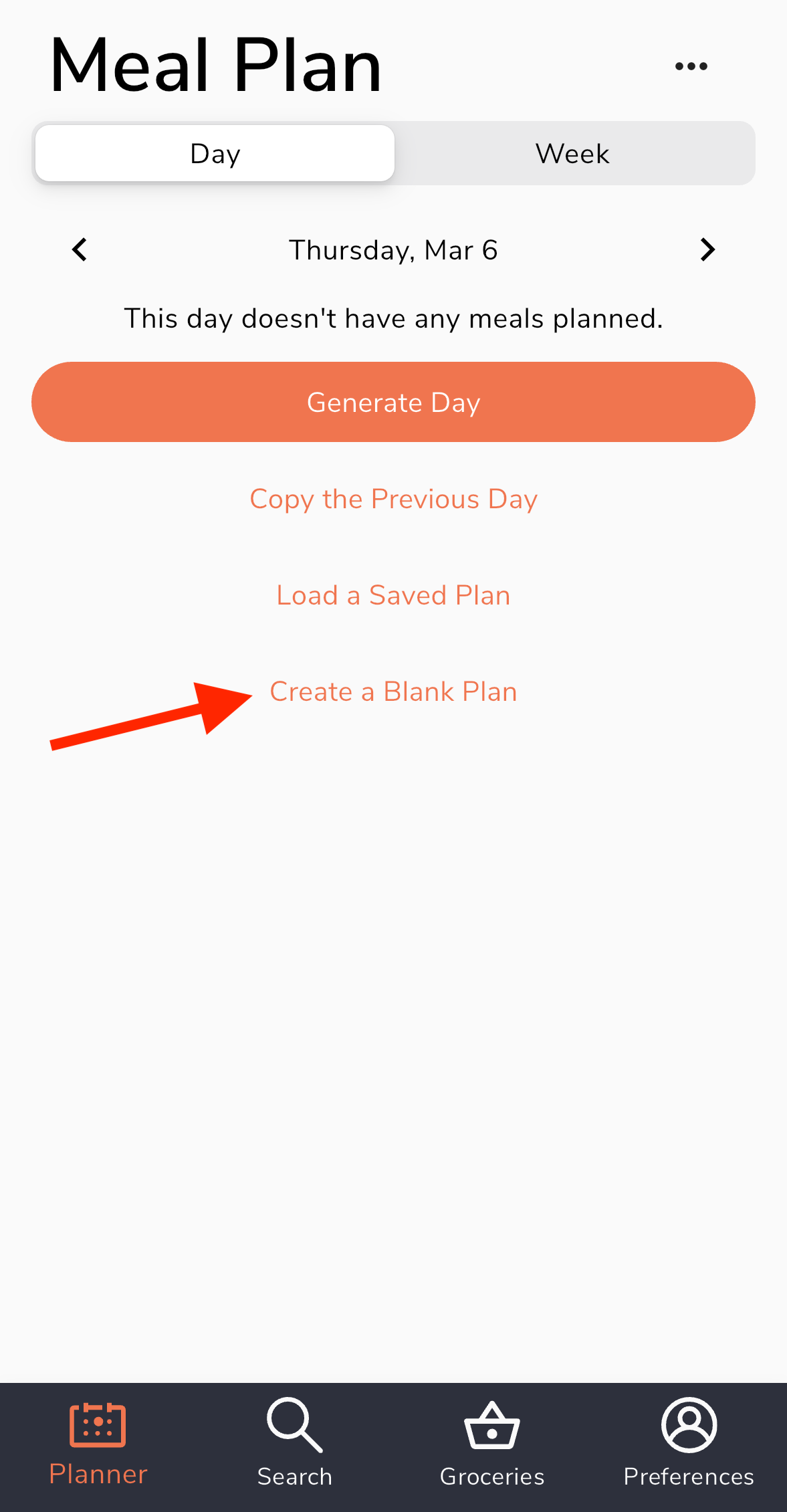

Absolutely, if you would like to disable the automatic generator entirely to use the planner as more of a daily food tracker or manually build your own plans, this can be done in your Generator Settings. This way, you won't get automatic suggestions going forward and can simply input your own foods without having to clear out any existing plans.
On the website:
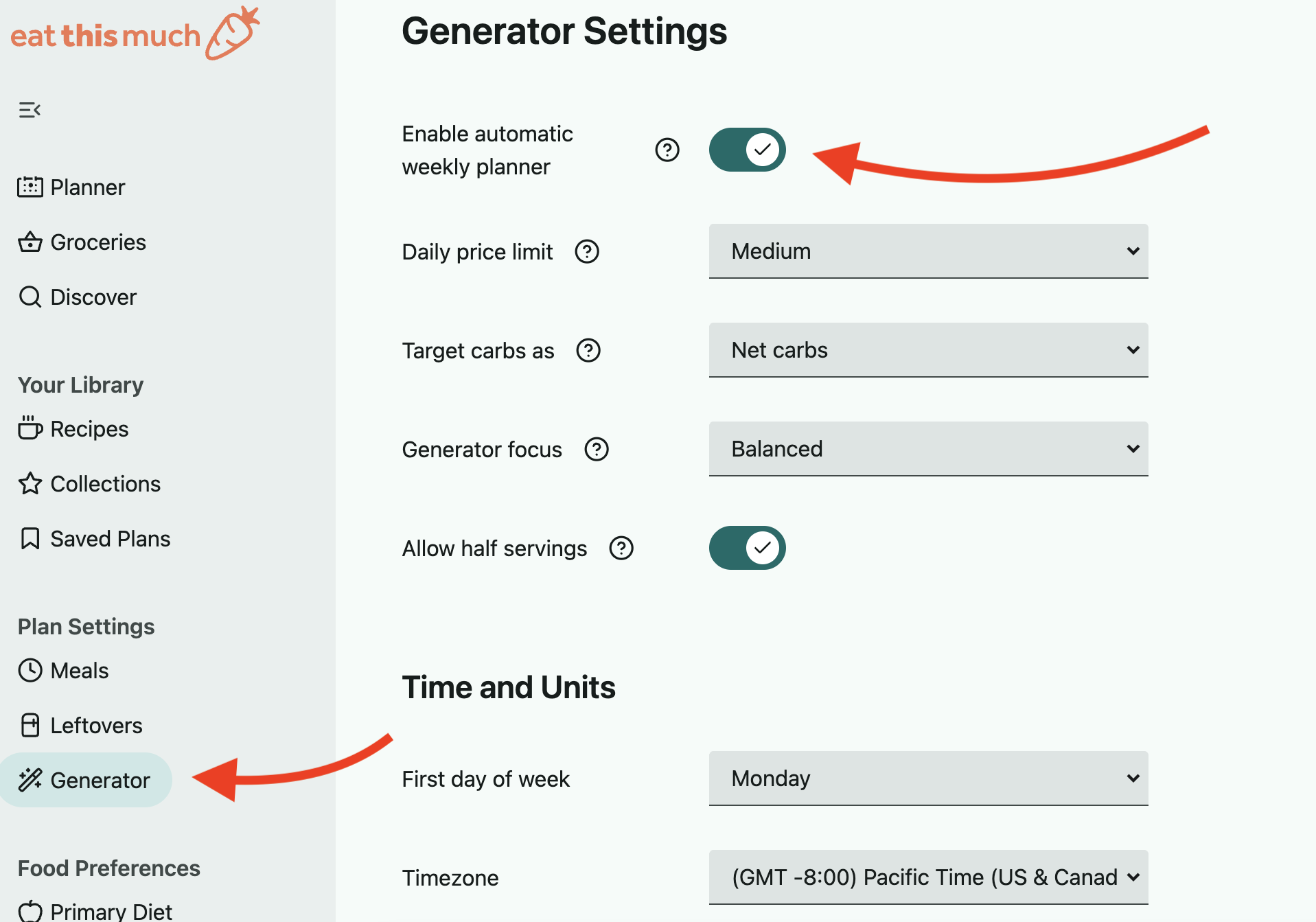
Head to your Generator Settings page, and you'll see the "Enable automatic weekly planner" switch up top that can be toggled off or on, depending on your preference:
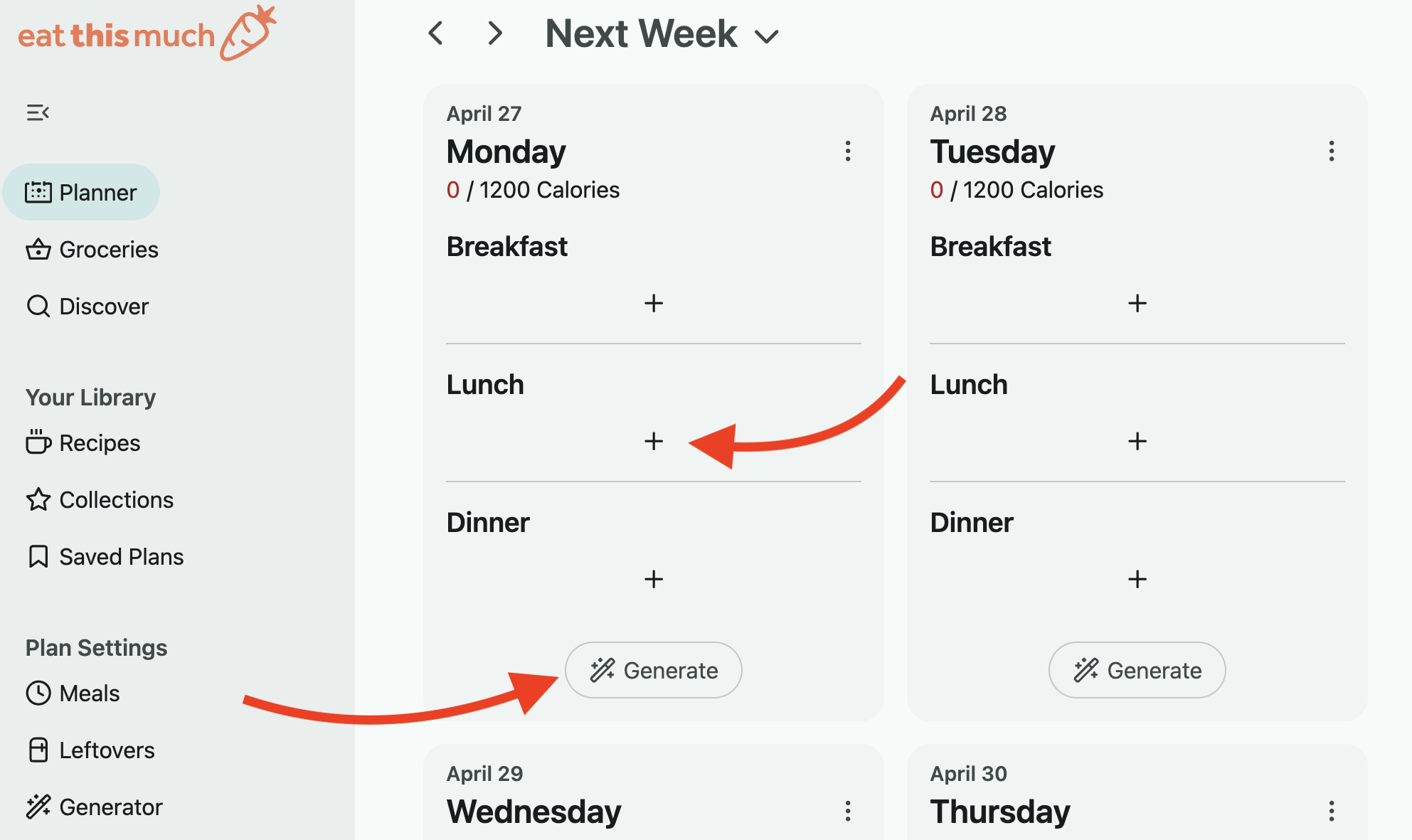
On the Planner page, you can use the "Generate" button on each day of your week to manually generate each day individually and edit it as you see fit. Alternatively you can build a plan from scratch and manually input your own foods using the the "+" button:
On the app:
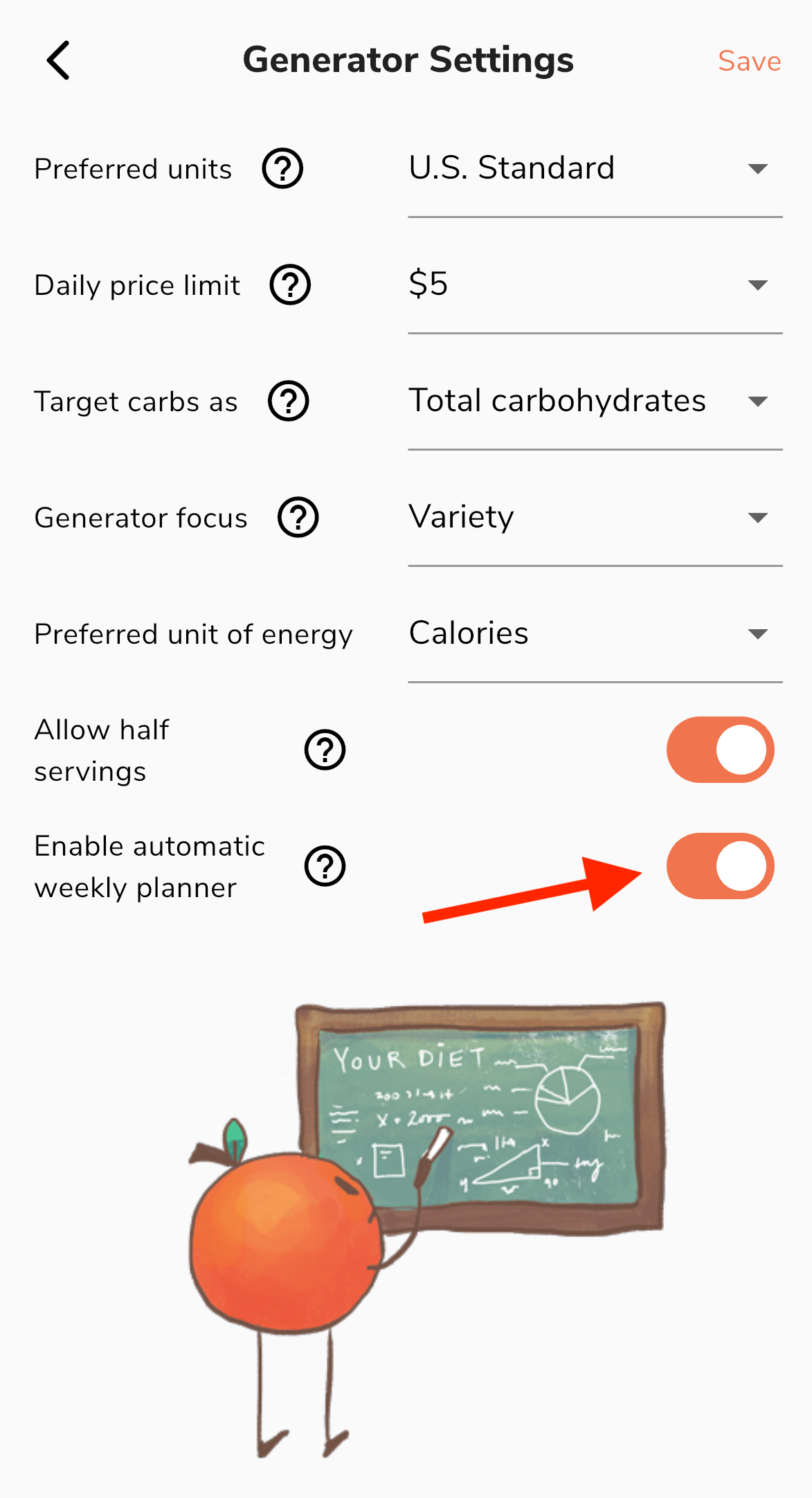
Go into Preferences in the lower right and select the Generator Settings option in the Diet & Nutrition section. You'll see the "Enable automatic weekly planner" switch at the bottom that can be toggled off.
Back on your main Planner page, you can use the Create a Blank Plan option to build a plan from scratch and manually input your own foods.