

Some of our users have the weekly planner suggest only one or two meals, and then handle the rest of the meals on their own. You can set up something like this via your Meal Settings found by clicking "Meals" under the "Plan Settings" section in the left sidebar of the site.
From here, click on the meal in your layout that you do not want the generator to suggest meals for, then click on the "Advanced" tab. You can then toggle on the "Skip generating" setting for this meal type:
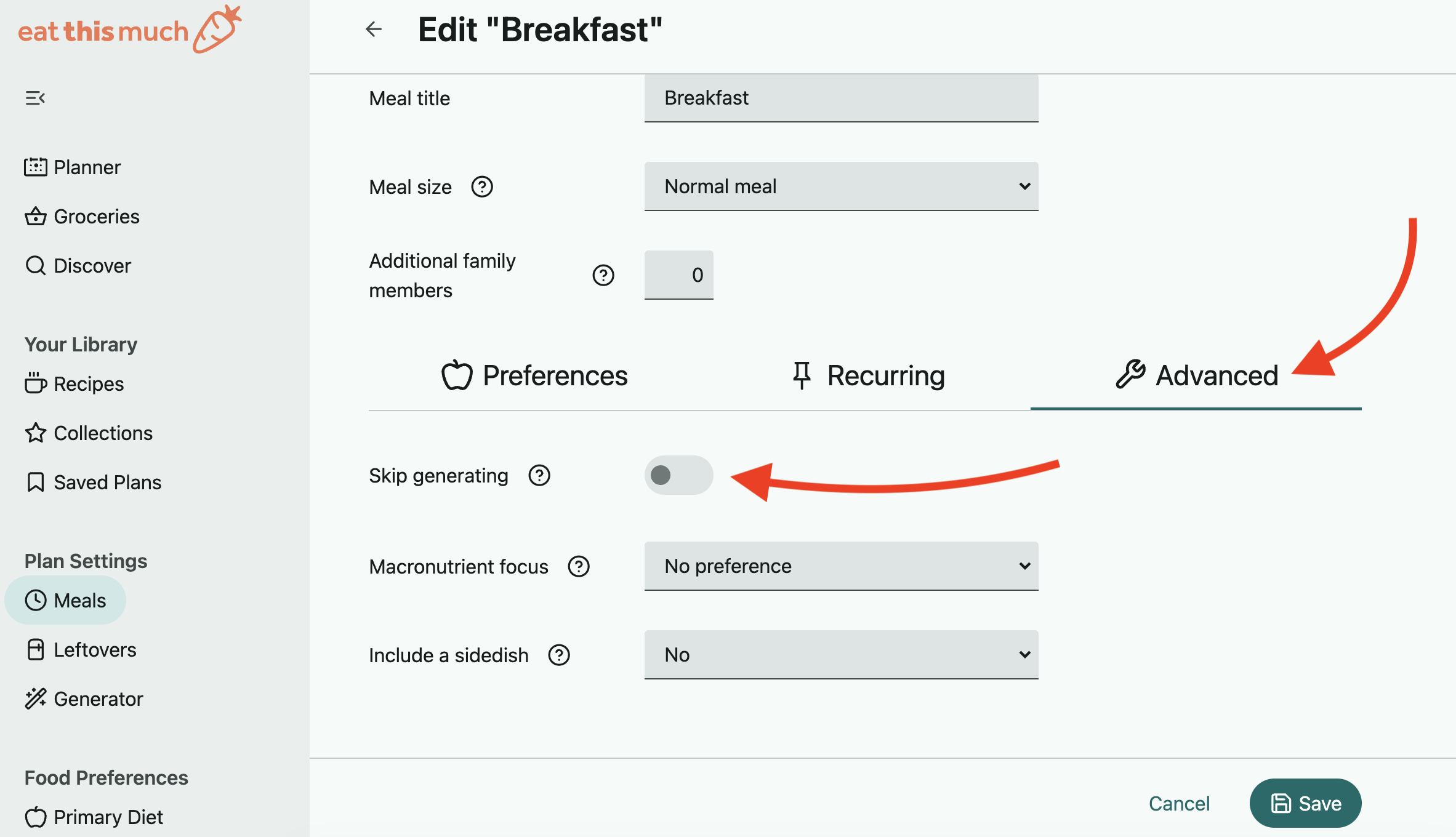
When you're finished making changes to your settings, click save. Your changes will take effect once you manually regenerate your meal plan (or when it is automatically regenerated for your next week.)
When you enable this setting, the week/day generator will leave this particular meal empty when creating your meal plan. The generator will assume reasonable calories and macronutrients based on your Meal Size setting.
This is useful if you want to track the meal yourself, or if you want to use the meal as a placeholder for things you eat outside of the plan. You can still use the "meal alternatives" to get suggestions for this meal.
Also see: