

The Premium subscription plan includes access to the pantry feature. The pantry list tracks what foods you already have on hand and how much you should have left based on your meal plans. The meal planner will prioritize using any leftovers you have on hand to reduce food waste.
How to use the pantry list
The menu options on the right-hand side of the pantry page will allow you to quickly select all foods, move selected foods to the grocery list, remove selected foods, or add new foods to your pantry list.
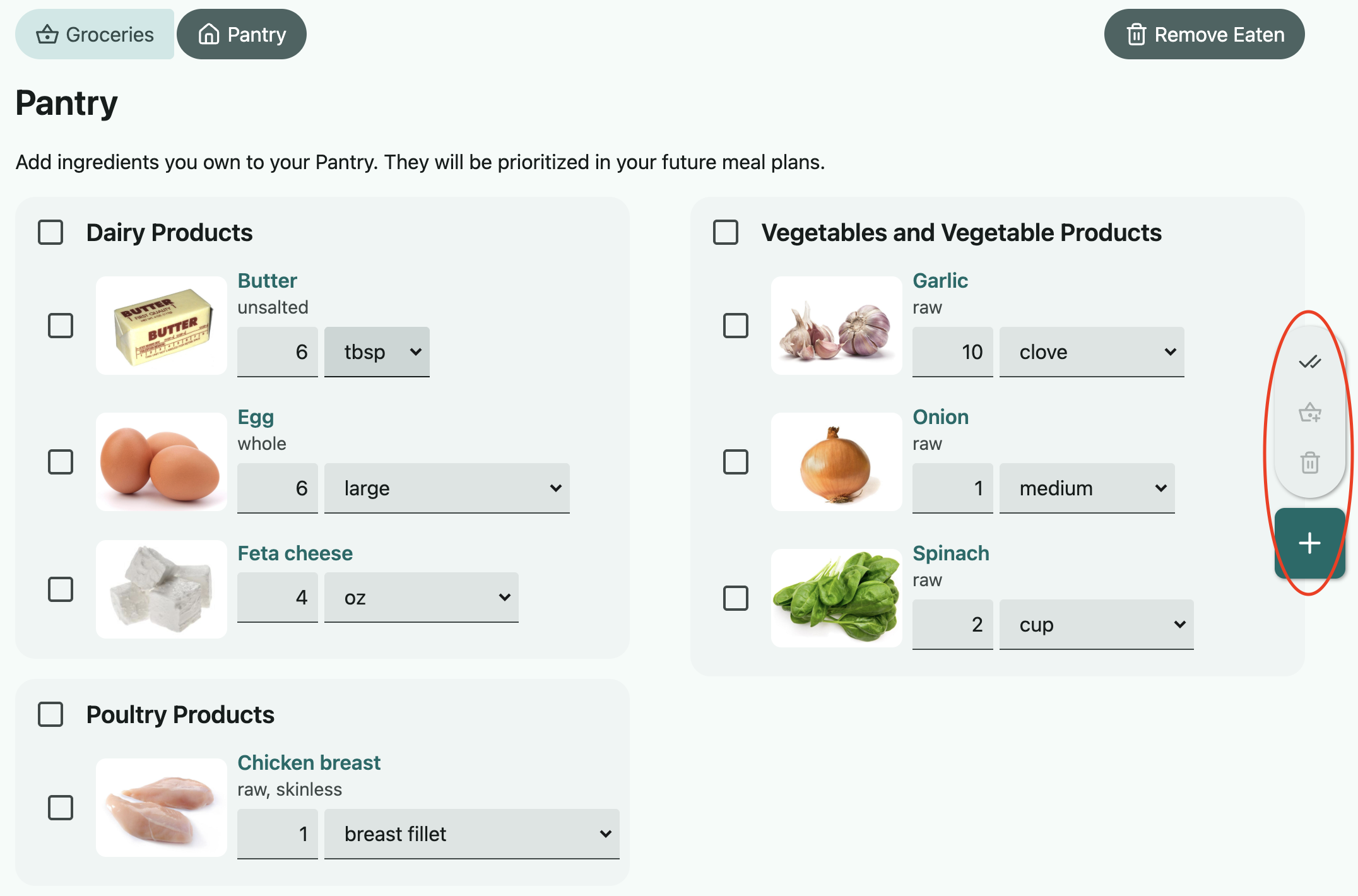
How does the pantry keep track of how much is left?
We remove ingredients from your pantry after you're supposed to have eaten them (we do this automatically when the weekly generator runs, or you can use the "remove eaten" option in the upper right to do this manually). If you don't eat something in your plan and don't want us to remove those ingredients, be sure to remove that item from your planner to reflect what you actually ate.
Can I generate meal plans using only my pantry foods?
We don't have the ability to generate an entire meal plan with just your pantry yet. The chances of finding an ample selection of recipes that fit your pantry and your nutrition targets and your meal preferences is very low, and too difficult for our algorithms at the moment. The good news is that we're actively working on improved pantry usage, so stay tuned for future updates.
In the meantime, see more about our suggestions for better pantry usage here: Can I generate meal plans using only my pantry foods?
How exactly does the pantry list work with the grocery list?
The pantry feature operates in sync with the groceries. When your grocery list is generated, the amounts reflect how much you already have on hand in the pantry. This way, you're not buying more of what you already have. So, if your meal plans need 2 apples and you already have 1 in your pantry, the grocery list will only tell you to purchase 1 more apple.
To keep things in sync, be sure to move the stuff you bought from the grocery list to the pantry after you go shopping. If you want to ensure you have a totally accurate record, you can adjust the amounts in the pantry to match how much you bought (we're working on getting accurate package size data so this happens automatically).
See more about the groceries feature here: How does the grocery list work?