

We've received a huge amount of feedback over the years, and we're excited to share an updated version of the Eat This Much web interface that addresses many of the frustrations you've shared with us.
What's New
Drag-and-drop food bank sidebar -- Quickly add foods to your plan by dragging them from a sidebar directly into any meal slot. No more hunting through menus to manually add the foods you want.
Everything opens in-place -- Edit meals, swap foods, and fine-tune your plan without leaving the planner. No more bouncing between pages to make adjustments.
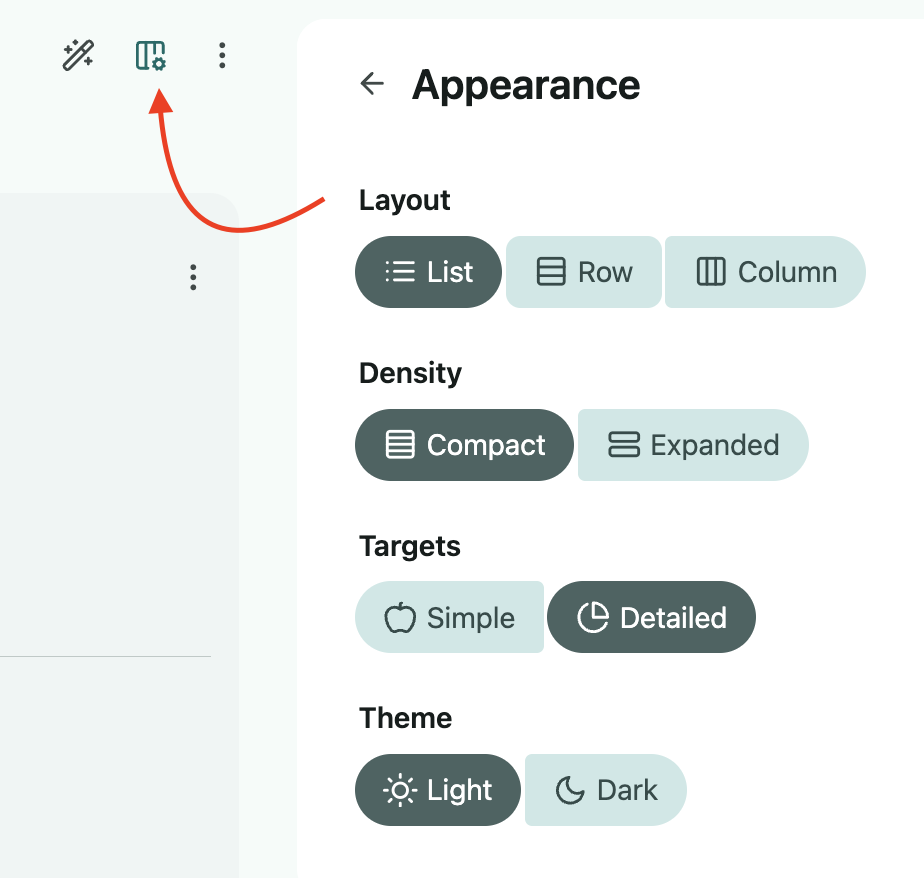
Configurable layout -- Go to the Customize Appearance icon in the upper right of the planner (pictured below), and you can tweak some of the display settings. Many people prefer seeing as much nutrition and editable information as possible, many prefer as little as possible, so we've given you the option to choose.
FAQs
Where is the 'day' view of the planner?
Instead of the day vs week view, there's now a list vs row vs column view that you can toggle between by going to the Customize Appearance option in the upper right of the planner.
Why is this new side panel on the right?
We got a lot of frustrated feedback from users about how every click had a page transition in the previous interface. The new side panel is an attempt to resolve that by displaying the details or search windows on the side without covering up your meal plan. We need to have a placeholder to prevent the page from shifting too much when things are opened, and the dead space is an unfortunate side effect.
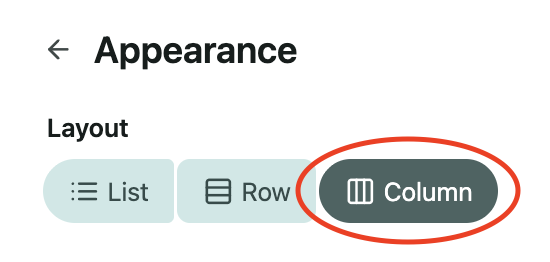
If you want to hide this side panel entirely, open the appearance settings (pictured above) and select the column layout view. This hides this panel, so it only appears when needed.
How do I remove a food from the plan?
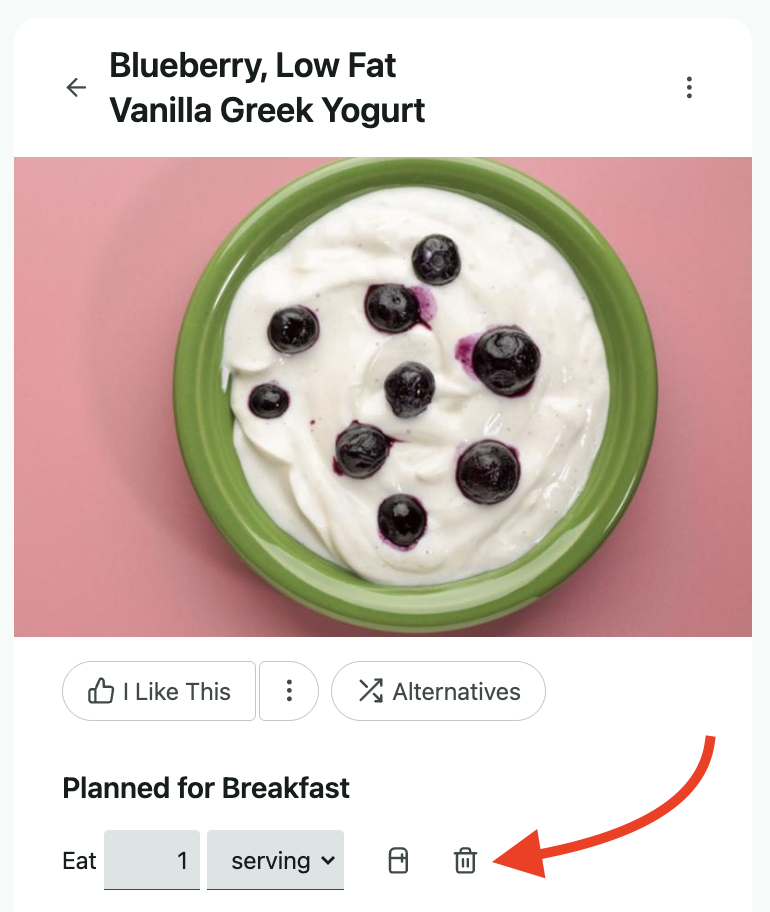
Click on the food or recipe in your plan, and you'll see a trash can icon next to the amount input in the right side panel details.
Where is the checkbox to mark foods as eaten?
We did remove this initially, but we received a lot of feedback from users missing this option, so we'll be adding this back in a new 'track' tab that we're working on.
The pantry will still remove eaten foods from your plans when the weekly generator runs. So just be sure to remove anything you didn't eat from the planner to ensure those ingredients aren't removed. We may add the checkboxes back, and for the time being, you can still find these on the mobile app.
If you used this option to lock meals in place while regenerating plans, you can still do this on the website by removing the meals you don't want and then regenerating with the "keep" option (this is the default option when regenerating).
See more here: How do I track what I’ve eaten or lock meals in place?
Send Us Your Feedback
This update was shaped by years of feedback from users like you, and we want to make sure we get it right. If something doesn't work the way you'd expect, or if there's a feature you're missing, we'd love to hear about it. You can reach us at support@eatthismuch.com.